
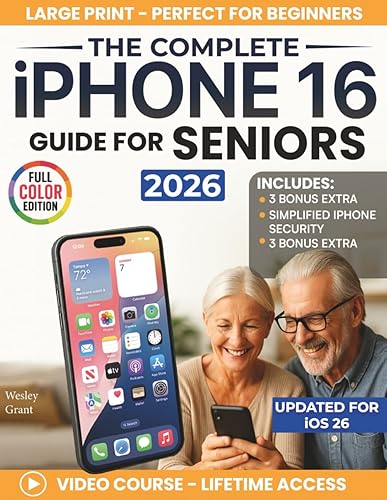
The Complete iPhone Guide For Seniors
Getting comfortable with your new iPhone starts here. This full-color resource walks you through every essential feature—from making calls and sending texts to taking photos and using FaceTime—all explained in plain English with large, easy-to-read text.
Designed specifically for older adults and first-time smartphone users, each page includes clear photos showing exactly what your screen should look like: no confusing terminology, no assumptions about what you already know.
You’ll learn to:
- Connect with family through calls, texts, and video chats
- Take and share photos with confidence
- Organize your home screen for quick access
- Use helpful apps that match your interests
Includes bonus content: advanced photo techniques, recommended apps for seniors, and an overview of other Apple devices that work with your iPhone.
Start using your iPhone with confidence—no help needed.
Description
Technology should make life easier, not more complicated. This full-color, large-print iPhone guide for seniors resource helps you master your iPhone through clear, step-by-step instructions that respect your learning pace.
Whether you’re switching from a flip phone or picking up your first smartphone, every feature gets explained in straightforward language. No tech jargon. No tiny print. Just friendly guidance that helps you feel independent and capable.
What You’ll Discover Inside
Each chapter focuses on the features you’ll actually use every day. The full-color photos show you exactly what to tap, swipe, or press—so you never feel lost or confused.
Core Skills Covered in This iPhone Guide For Seniors:
- Making and receiving calls with ease
- Sending text messages to friends and family
- Taking beautiful photos and videos
- Using FaceTime to see loved ones
- Organizing apps on your home screen
- Working with Siri as your voice assistant
- Adjusting settings for comfort and accessibility
- Finding and downloading helpful apps
Why This Works for Seniors
Unlike typical tech manuals, this resource assumes nothing about your background. The design features easy-on-the-eyes fonts and generous white space. Each lesson builds naturally on the previous one, creating steady progress without overwhelm.
You can read at your own speed, return to sections whenever you need a refresher, and actually enjoy the learning process.
Technology changes, but your learning doesn’t have to start over. The best part is: you’ll receive updates about new Apple features and tips specifically for older adults.
Take control of your iPhone —and enjoy everything it offers. Imagine calling grandchildren, sharing photos with friends, and managing your schedule—all without asking anyone for help. This resource makes that independence possible.
Related products
-

Who Knew? 10,001 Household Solutions: Money-Saving Tips, DIY Cleaners, Kitchen Secrets, and Other Easy Answers to Everyday Problems
Buy Now -
The Real Simple Method to Organizing Every Room And How To Keep It That Way
Buy Now -
Messy Minimalism: Realistic Strategies for the Rest of Us
Buy Now -
Aging Brilliantly: How to Eat, Move, Rest, and Socialize Your Way to Long Life
Buy Now


Reviews
There are no reviews yet.